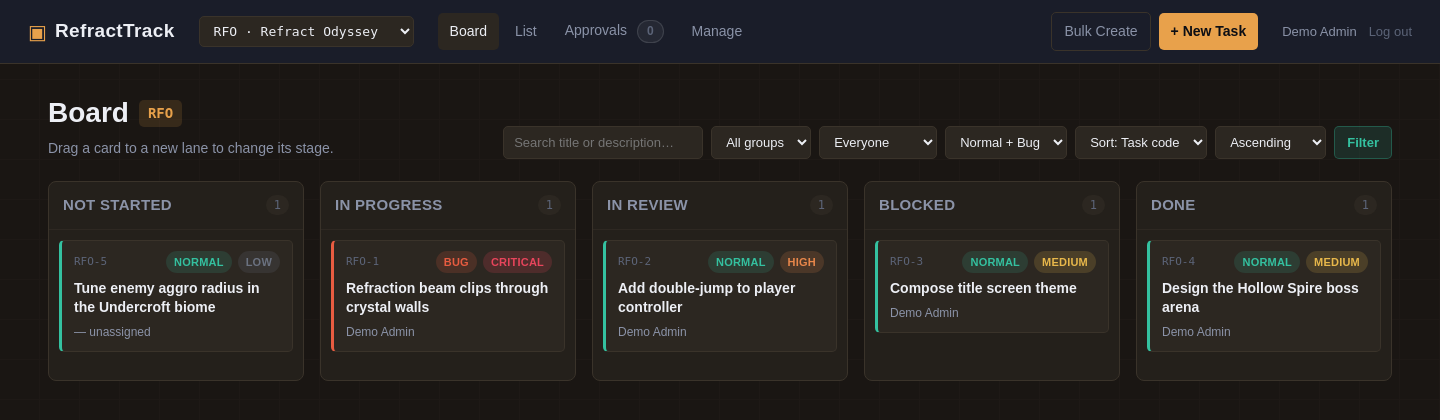
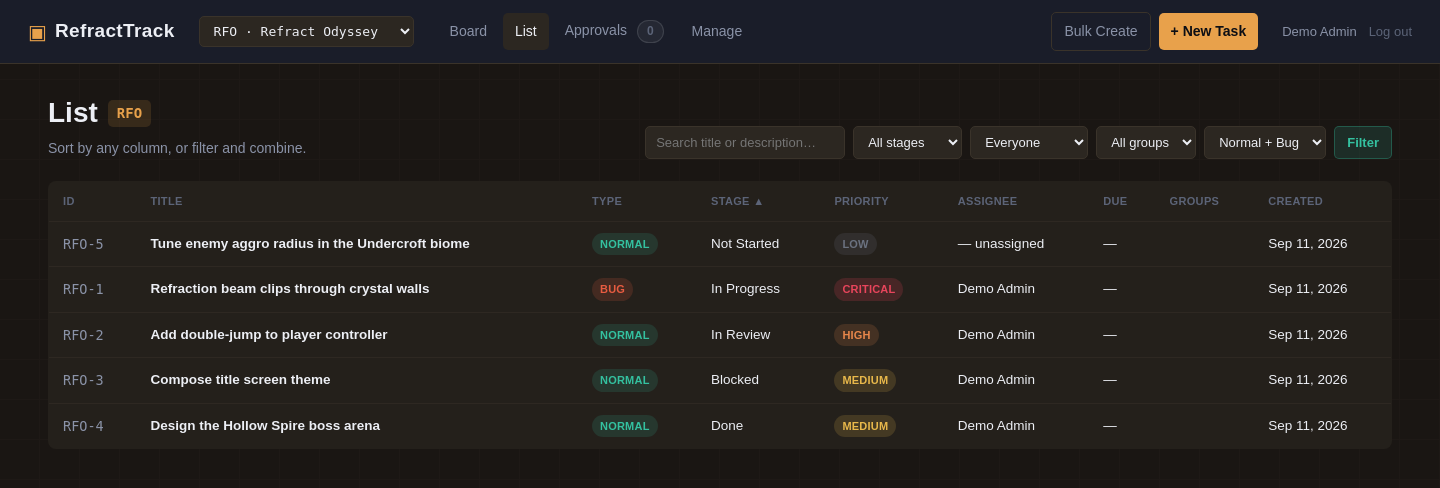
It's a real board, not a spreadsheet pretending to be one
Drag-and-drop task cards across as many columns as your workflow needs, with priority and type badges, group tags, and assignee visible at a glance — no click-through required to know what you're looking at.
Bug reports that actually carry the information a developer needs
Flip a task's type to Bug and three extra fields appear automatically: Expected behavior, Actual behavior, and Steps to reproduce. No more bug tickets that are just a title and a shrug.
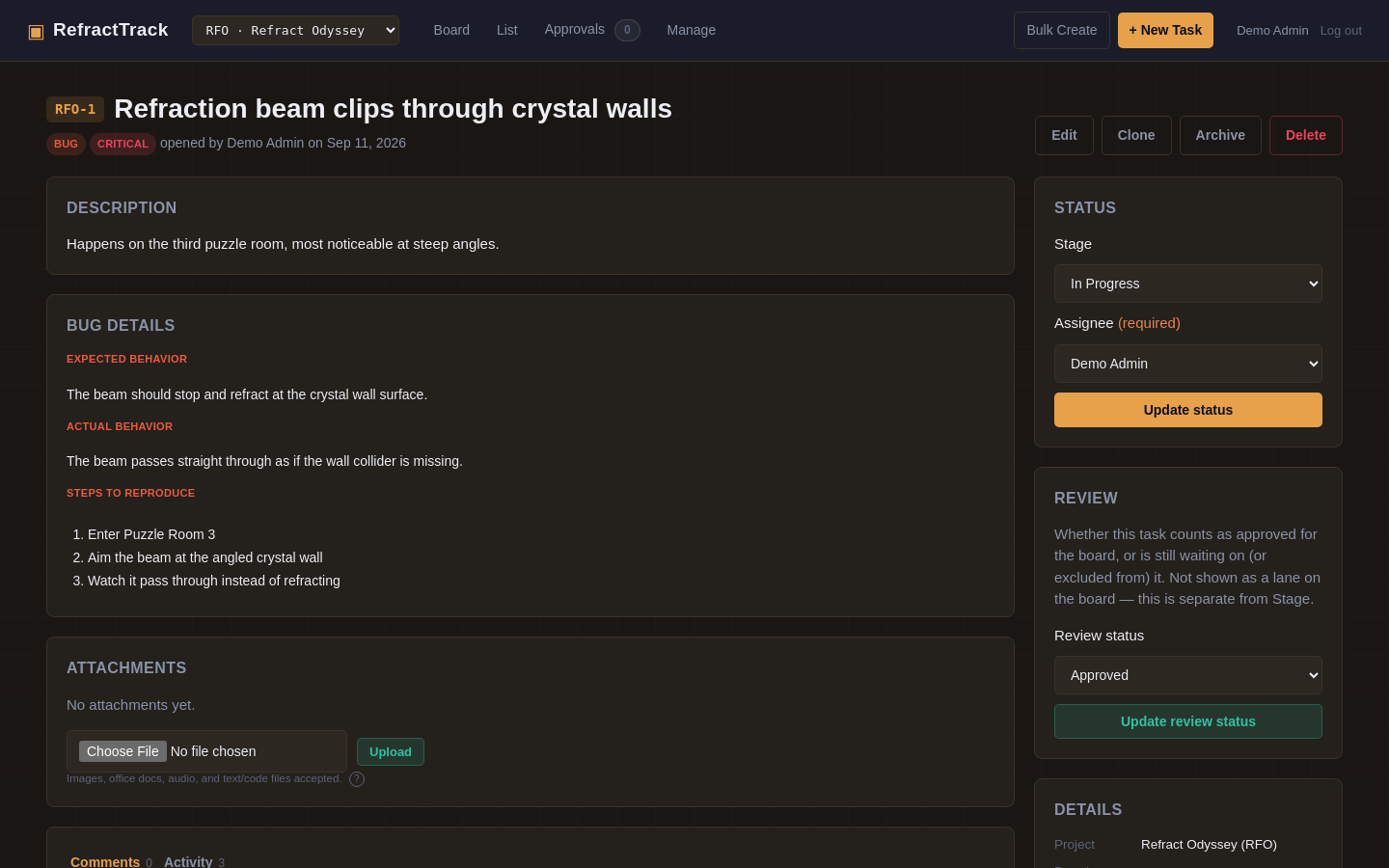
A bug ticket with structured repro steps, review status, and one-click stage/assignee updates — all on a single screen.
Discussion and system history, never tangled together
Every task gets its own threaded comments tab — rendered through a light text-formatting engine with bold, italics, headings, lists, and color-highlighted code blocks — sitting right next to an automatically generated activity log. Mention another ticket's code, RFO-1 for instance, anywhere in a description or comment, and RefractTrack turns it into a live link automatically.
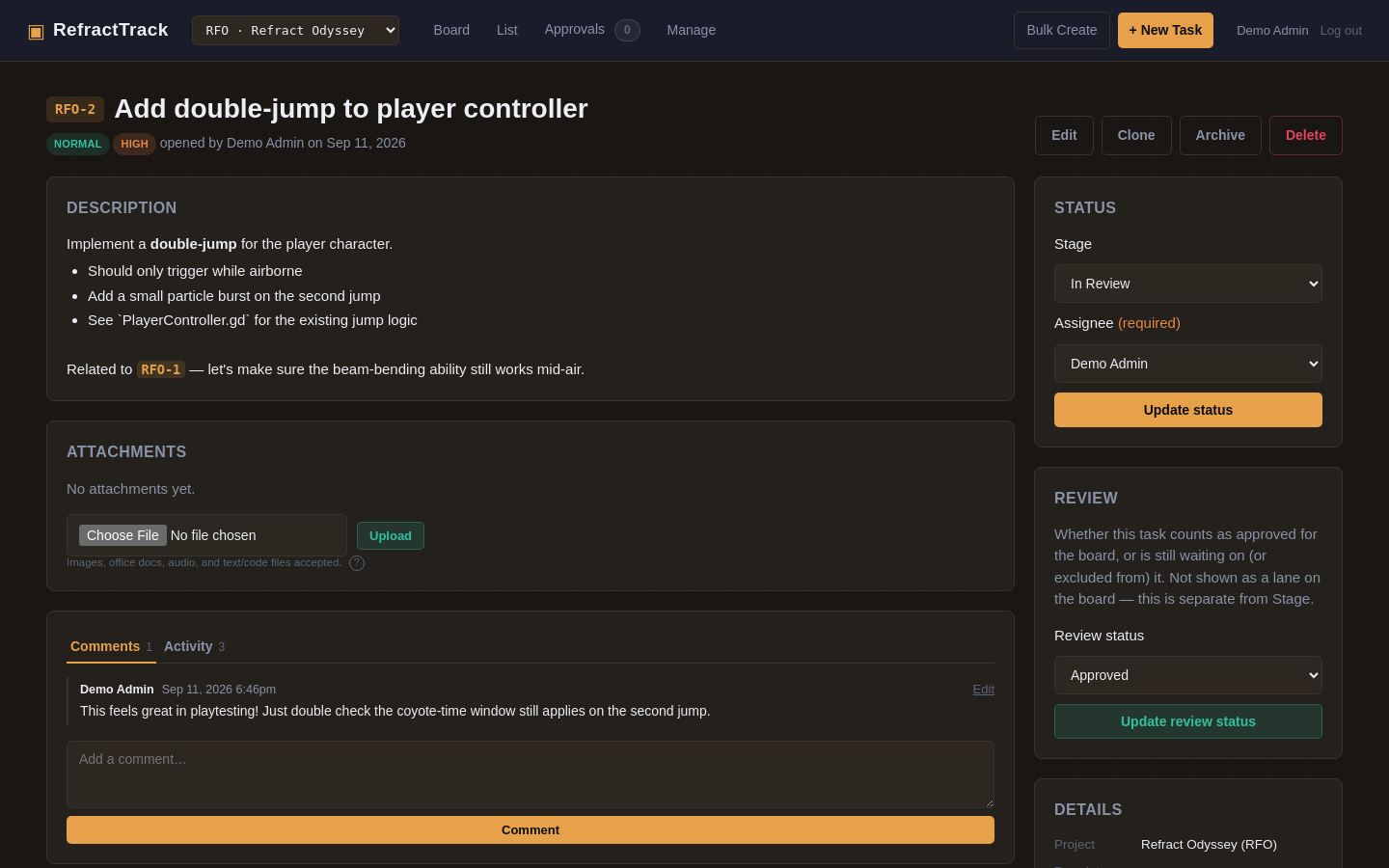
Comments and formatting in action, including automatic task-code linking (watch "RFO-1" turn into a link on its own).
Approvals: a real sign-off step, not an honor system
Give playtesters and QA a stripped-down reporting form, and every ticket they file lands in a review queue before it ever touches the board — approve, mark won't do, or send it back, and every decision is reversible.
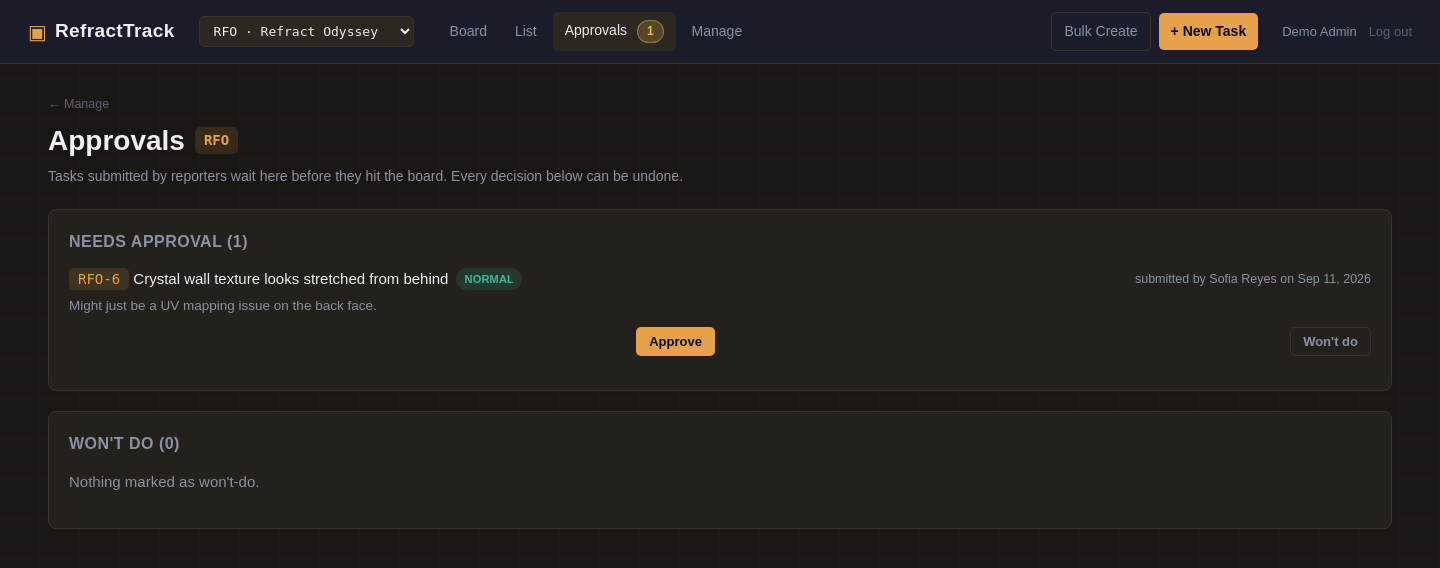
The Approvals queue: tickets from reporters wait here before they count as "real" work on the board.
Bulk-create a whole biome's worth of tasks in one pass
Paste a list — enemy names, biome names, whatever repeats — write one title/description template with an {item} placeholder, and generate the whole batch at once. Save the list for next sprint if you'll need it again.
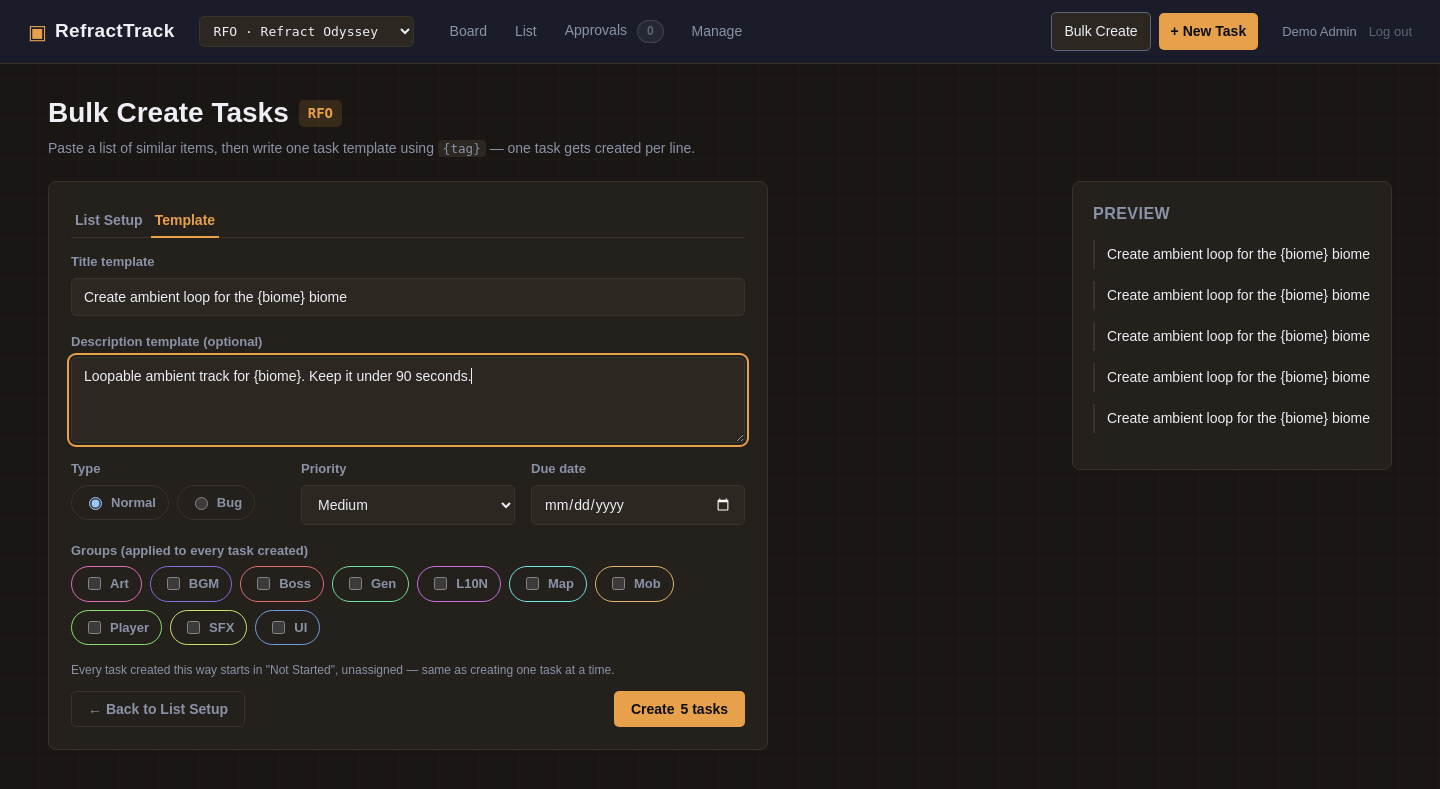
Bulk create: one template, any list, instant batch of tickets — with saved lists for anything you'll reuse.
Stages and groups that bend to your project, not the other way around
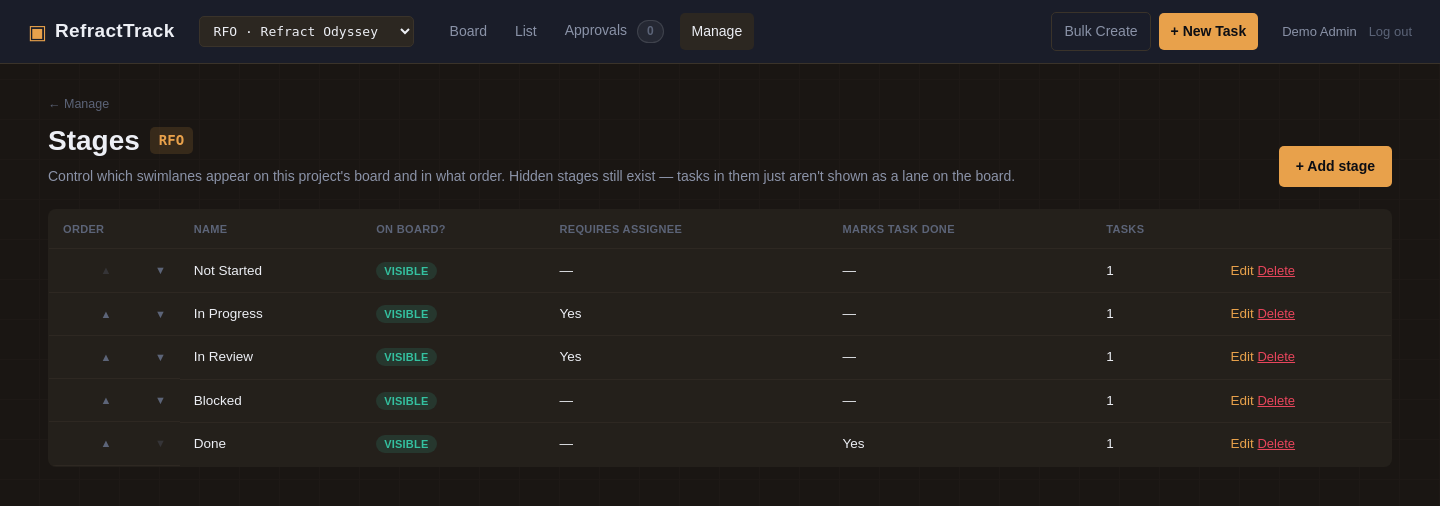
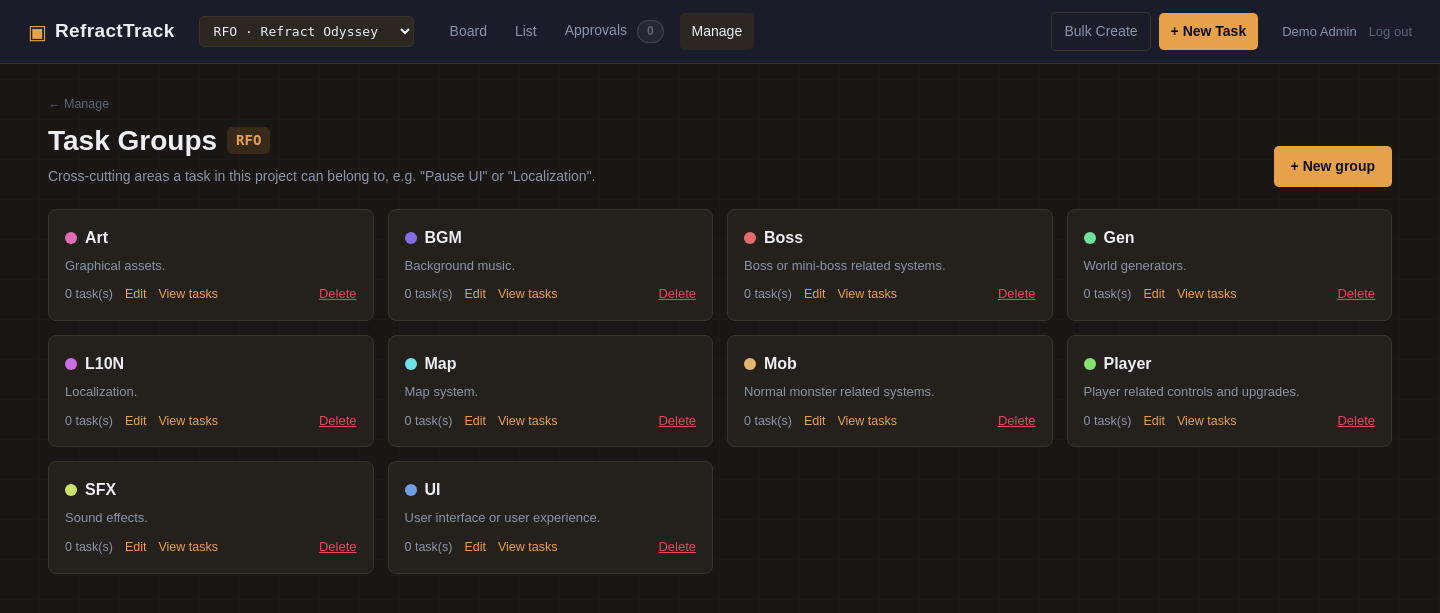
Every project gets its own independent stages and groups — rename, reorder, hide, or add to them freely, and it never touches any other project. Hide a stage from the board without losing its tickets; delete one only once it's actually empty.
Permissions that go far deeper than "admin or not"
RefractTrack ships a genuine role-based permission system: 46 individual permission keys across tasks, comments, attachments, projects, stages, groups, saved lists, backups, themes, and user management — combinable into named role presets so setting up the next hire takes ten seconds, not ten menus. The sensitive permission set is checked per-project too: someone can hold a permission globally and still be denied for a specific project they lack access to.
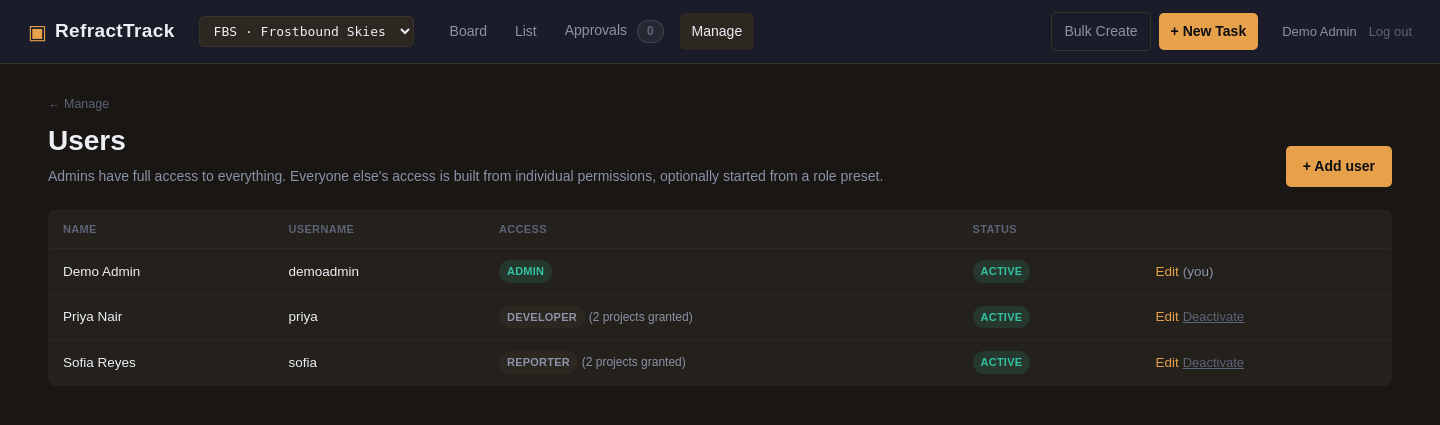
A whole studio team, each with a role-derived access level and project access shown at a glance.
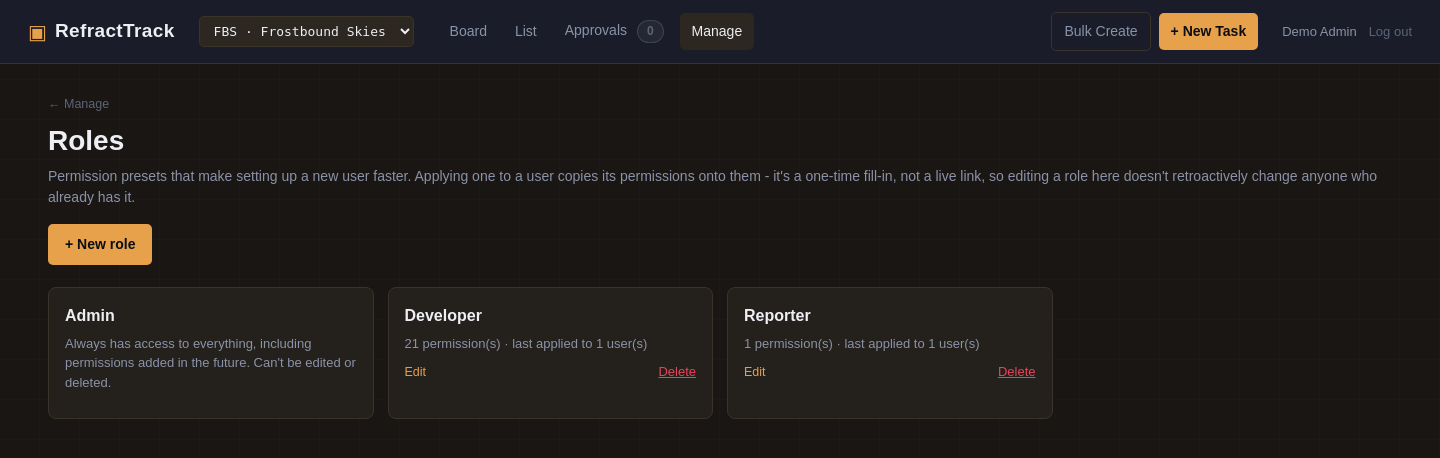
Role presets are just a starting point, not a leash — apply one to copy its permissions onto a teammate, then adjust freely from there without ever touching the preset itself. Editing a role later never reaches back and changes anyone it was already applied to.
Two people, one ticket, zero lost work
When two teammates edit the same task at the same time, RefractTrack saves the changes field-by-field instead of letting whoever clicks second silently overwrite the first. Change different fields — or land on the same value anyway — and both saves apply cleanly. Only a genuine collision, the same field changed to two different values, gets resolved in favor of whichever save landed first, and even then nothing is silently lost: what would have been overwritten is written to the task's activity log, with a plain-language note explaining exactly what happened.
No schema change, no version/lock column, no blocking merge prompt — just a per-field comparison against what the form was originally loaded from.
Make it look like your studio's tool, not somebody else's
Fifteen accent-color themes (yes, including an animated Rainbow option) and a custom application name, both changeable in two clicks from inside the app — no file access, no redeploy. Every screenshot on this page, in fact, is shown in Ember, one of the fifteen.
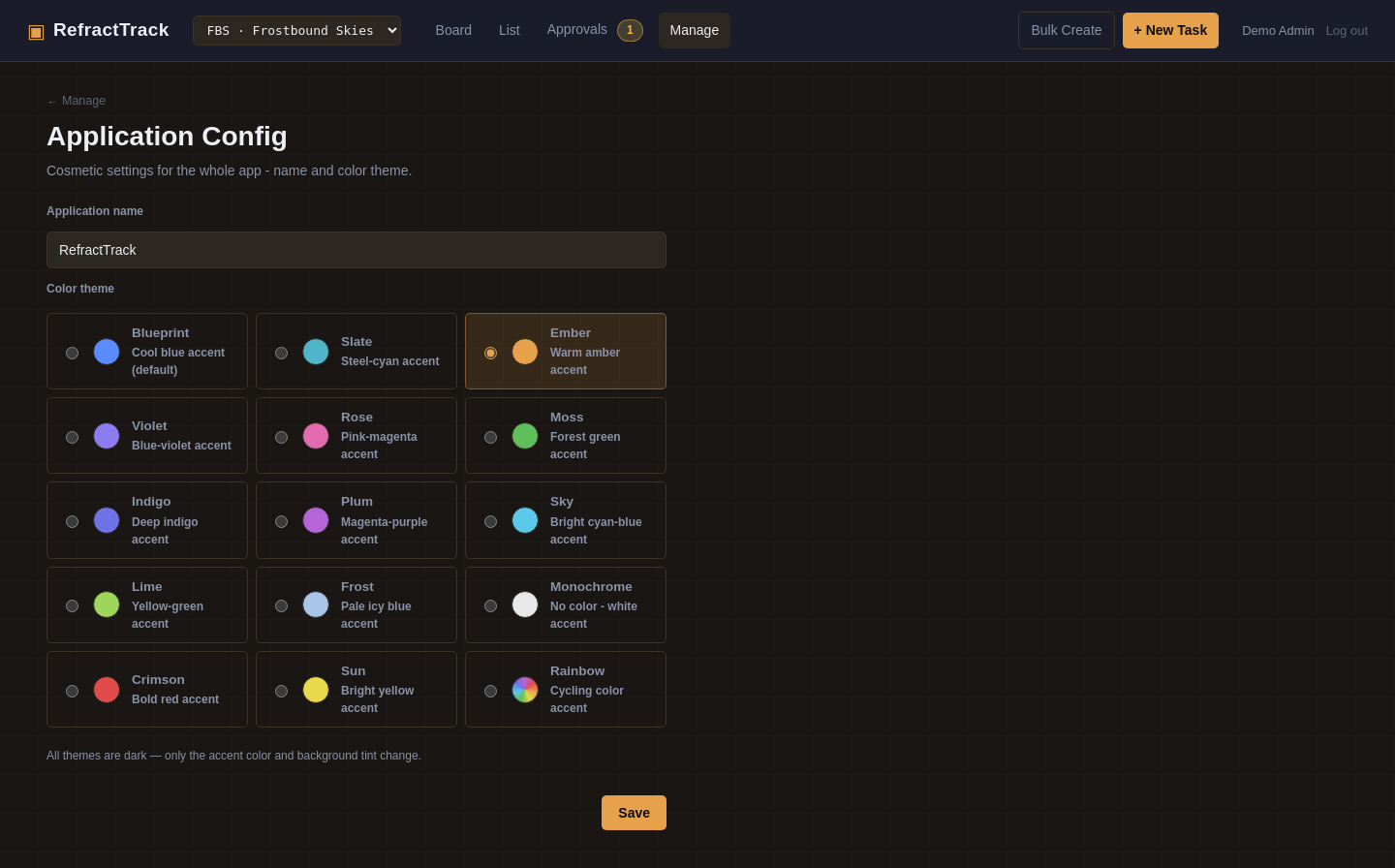
Fifteen themes to choose from, changeable without touching a config file — Ember shown selected here.
Attach whatever the task actually needs
Screenshots, reference art, design docs, audio cues, a snippet of source — tasks accept a wide range of file types out of the box, grouped into images, archives, office documents, audio, plain text and data, source code, and a broad set of game-engine-specific formats (Godot, GameMaker, Ren'Py, and more). A small reference button right next to the upload field lists everything currently accepted, so nobody has to guess mid-upload. Installers, executables, and raw SVGs are never accepted, on every install, for safety.
Every task gets its own attachments panel, gated behind the same permission checks as everything else.
Your data is never locked in
Back up an entire project — every ticket, comment, attachment, activity entry, plus its stages, groups, and saved bulk-create lists — as a single .zip file, any time you want, and bring it back into this instance or a different one. Task codes are renumbered cleanly on import and cross-references between tickets are rewritten automatically, so nothing breaks. A backup too large to upload through a browser can be restored straight from the server's command line instead, with no size ceiling to run into.
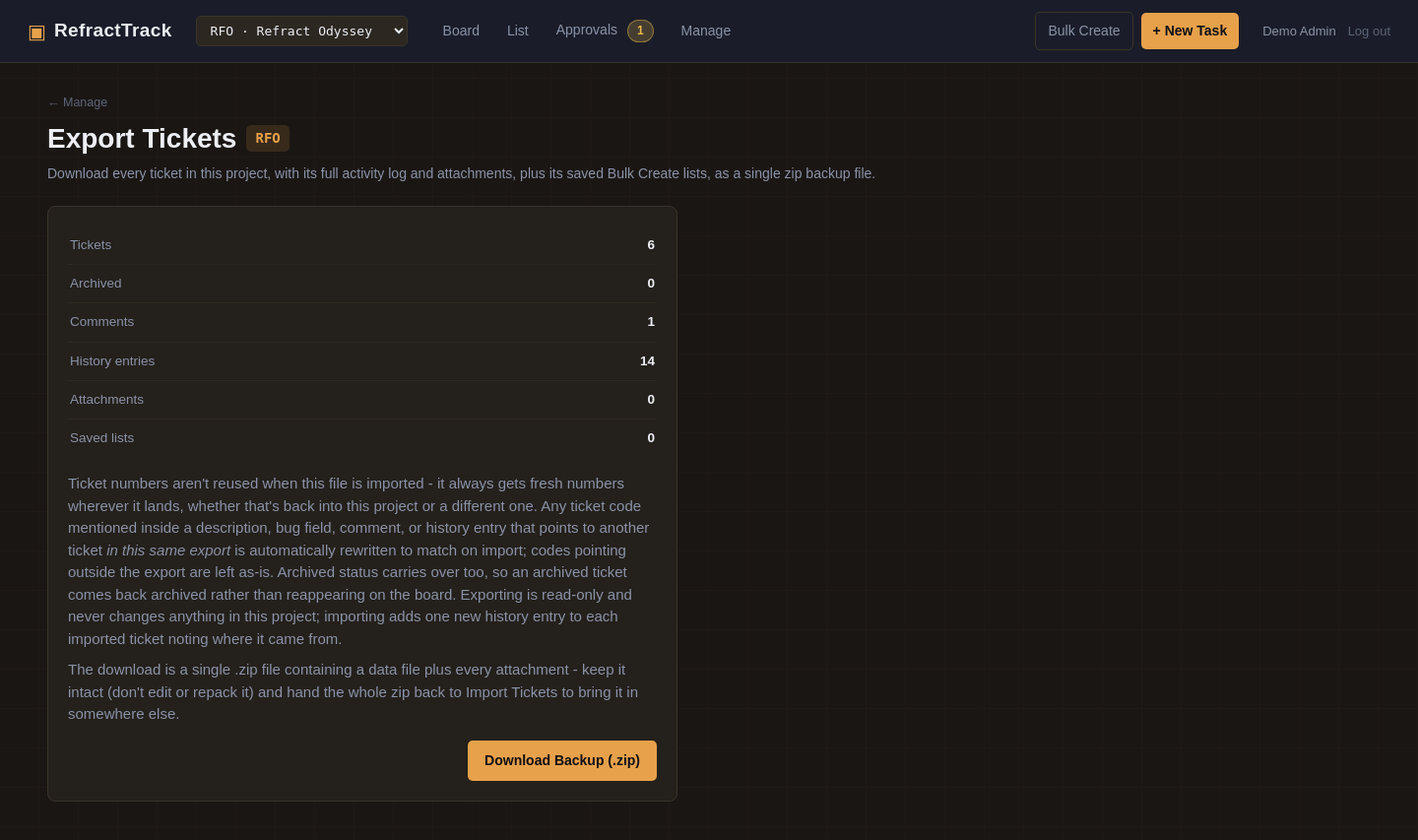
One-click backup of an entire project — tickets, attachments, and its stages, groups, and saved lists, all in one file.
Nothing important is ever really gone
Archiving clears finished work off the board without deleting a single byte — everything stays searchable and can be restored in one click.
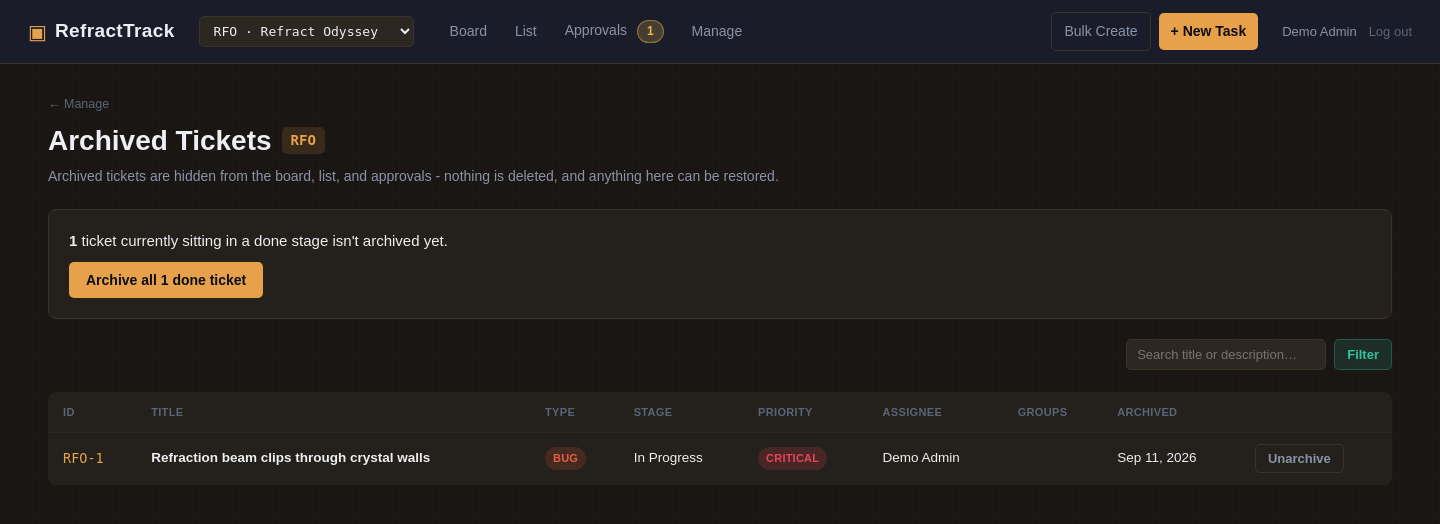
Archived tickets stay fully intact and restorable — archiving tidies the board, it doesn't destroy anything.
And it scales from a two-person prototype to a whole publishing slate
Run as many projects as you want from a single install, each with its own prefix, task numbering, stages, and groups — switch between them from the same nav bar without losing your place. RefractTrack remembers the project you were last on, so logging back in drops you right where you left off, and the project switcher keeps you on the same kind of page — flip from one project's Export screen to another's Export screen, not back to some board you weren't even looking at.
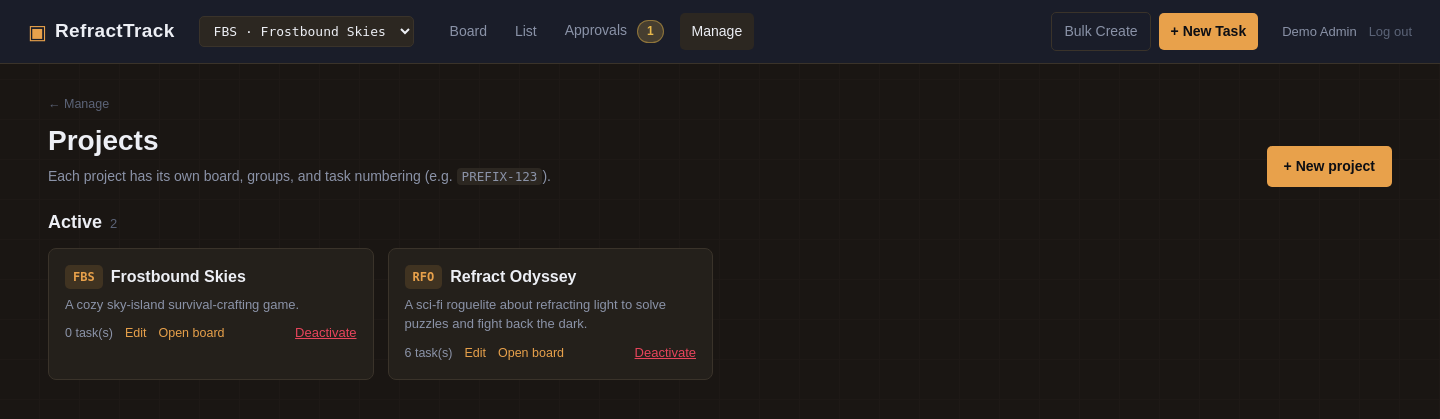
Multiple projects, one install — Refract Odyssey and Frostbound Skies, side by side.
Why teams pick RefractTrack
Multi-project, per-project config
One install covers your whole studio's slate, not just one game.
No seat fees, no usage tiers
Self-hosted on plain PHP and MySQL/MariaDB — one server, no per-user billing.
Ready for playtesters
Testers can file tickets without seeing anything else that's going on. What they submit gets a sign-off step before it clutters the board.
No framework tax
No build step, no bundler, no JavaScript framework to keep patched — just PHP pages designed to support your team.
Bug reports with substance
Expected/actual/steps-to-reproduce fields built into the task type itself, not bolted on as free text.
Real role-based access control
Not "admin vs. everyone else" — 46 permission keys, role presets, and per-project access grants.
Built for busy teams
Concurrency guards make it so two people editing the same ticket at once never silently lose each other's work.
Everything is reversible
Archive instead of delete, "won't do" instead of losing a ticket, edit history preserved on comments.
Your data is never locked in
A single zip backup carries every ticket, attachment, and comment — restorable here or on a fresh install, any time you want it.
Attachments built in
Images, documents, audio, and source code all accepted out of the box, with a safe, curated allow-list.
Hardened by default
CSRF protection everywhere (including login and install), secure cookies, security headers, and gated attachment downloads — the kind of hardening most side projects skip.
A real migration system
Schema updates apply automatically and safely, whether from the browser or a deploy script, with no manual SQL required.
Guided setup, painless upgrades
An optional script gets a bare server ready to go; upgrading later is a files-only copy that never touches your data.
Color themes + custom app name
Make it feel like it belongs to your studio, with your name and color preferences.
Task codes that link themselves
Mention RFO-12 anywhere in a description or comment and RefractTrack turns it into a live link automatically.